Companies and contacts
Companies
Section titled “Companies”Companies in the Support rail lists the organisations you support, with their domain, how many contacts they have and how many tickets.
A company can have several domains. That matters because domains are how
inbound mail finds its way to the right customer: an email from
someone@northwind.example is recognised as Northwind Traders without anyone
having to add that person first.
Edit a company and you can add a domain row for each one it uses. Acquisitions are the usual reason — a company that bought another one often keeps both sides’ mail running for years, and mail from the domain you haven’t listed lands in the catch-all instead of on their record. A domain belongs to one company only, so if you type one that’s already taken the form tells you which company has it rather than quietly splitting the routing.
“Company” is one table across the whole app. The same Northwind Traders you support is the one you bill and the one you sell to — Add existing on this page is for pulling a company you already have in Sales into the Service Desk’s view, rather than making a second copy of it.
Companies can be marked internal — that’s for PTO, training and R&D, the things you book time against that aren’t customers.
When the same company is on the books twice
Section titled “When the same company is on the books twice”It happens: “Presidio” and “Presidio, Inc.” are the same business, and each has half the tickets. Merge — on a company’s page in the Service Desk or Sales, and on each row of the Time Tracking companies list — folds one into the other.
Pick the other record, choose which one survives, and you get a summary of what moves before anything happens: tickets, contacts, projects, invoices, portal access, domains. The record you don’t keep is then deleted, so there’s no archived twin left behind to pick by mistake.
Contacts
Section titled “Contacts”Contacts lists the people. Each has a name, an email, the company they belong to, and their access — whether they can sign in to the customer portal.
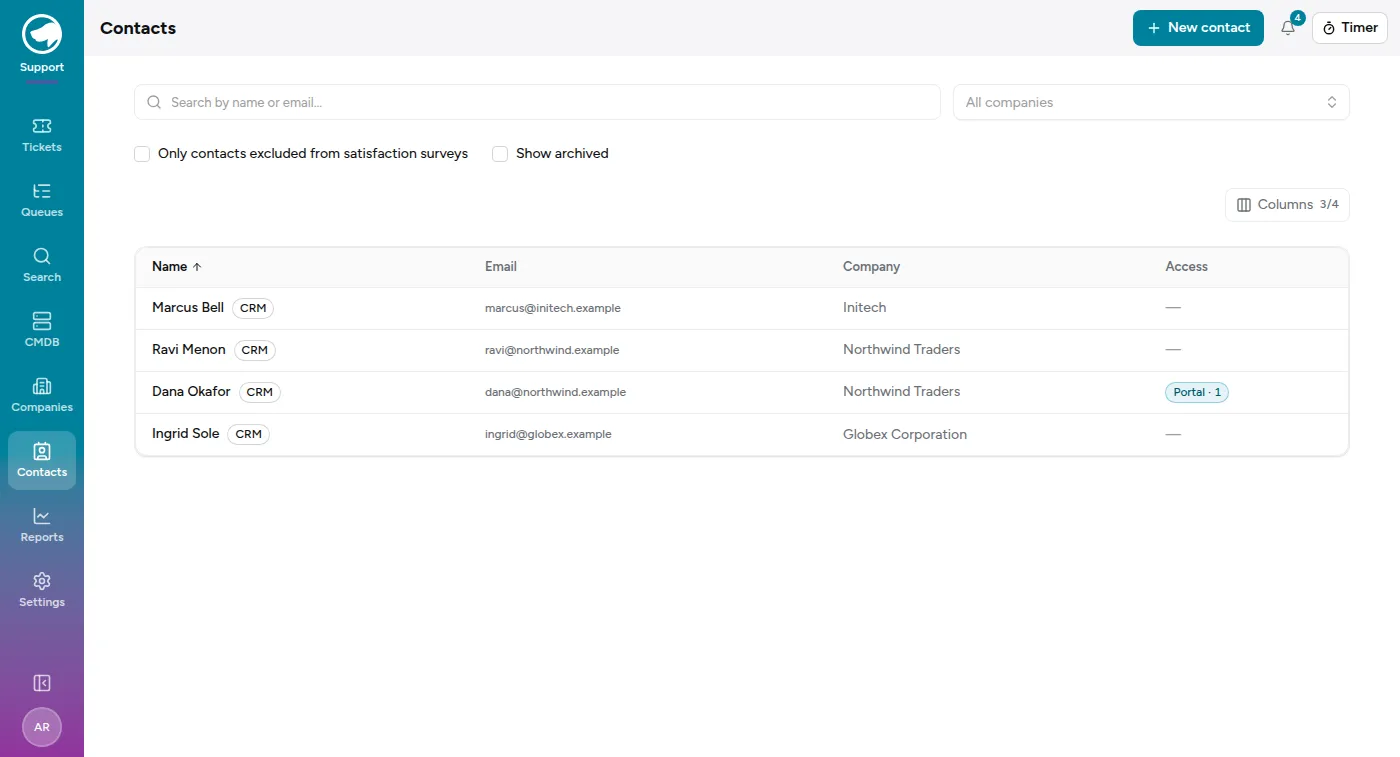
Because it’s one person, New contact checks the email as you type. If that address is already a contact it says who and where, and links you to them — including when they’re archived, which the list hides until you tick Show archived. If the address belongs to someone who’s only in the CRM so far, creating the contact links to that same person rather than making a second one, and the form tells you before you save: the name and phone already on file are the ones that stick.
The Sales module’s Contacts page shows the same people through a different lens, with a filter across the top: CRM only, Both, Support only, All people. Support-only contacts are the ones who raise tickets but aren’t part of any deal; CRM-only are the ones you’re selling to who’ve never contacted support. Neither list is the “real” one — they’re two views of the same people.
Portal access
Section titled “Portal access”A contact with no access can still raise tickets by email; they just can’t sign in and look at them. Granting access sends them an invitation to the customer portal — see What your customers see.
Satisfaction surveys
Section titled “Satisfaction surveys”Contacts can be individually excluded from satisfaction surveys, and the list has a filter to show you exactly who is. Use it for the automated mailboxes and the people who’ve asked not to be surveyed — otherwise your satisfaction numbers slowly fill up with noise.