The pipeline
Sales is one module over the whole commercial surface: the deals, the quotes written against them, the companies and contacts they’re with, and the subscriptions they turn into.
My deals
Section titled “My deals”The module opens on your deals — the ones assigned to you, plus anything you created that landed on someone else. Four figures sit above them: open value, weighted forecast, what’s closing this month, and what you’ve won this quarter. Open / Won / Active Won / Lost / All switches the list underneath without touching those figures, which always cover everything of yours. The same filters as the list sit under the tabs.
A Salesforce-synced deal counts as yours when it carries your email address, even though it has no link to your account here — which is most of them.
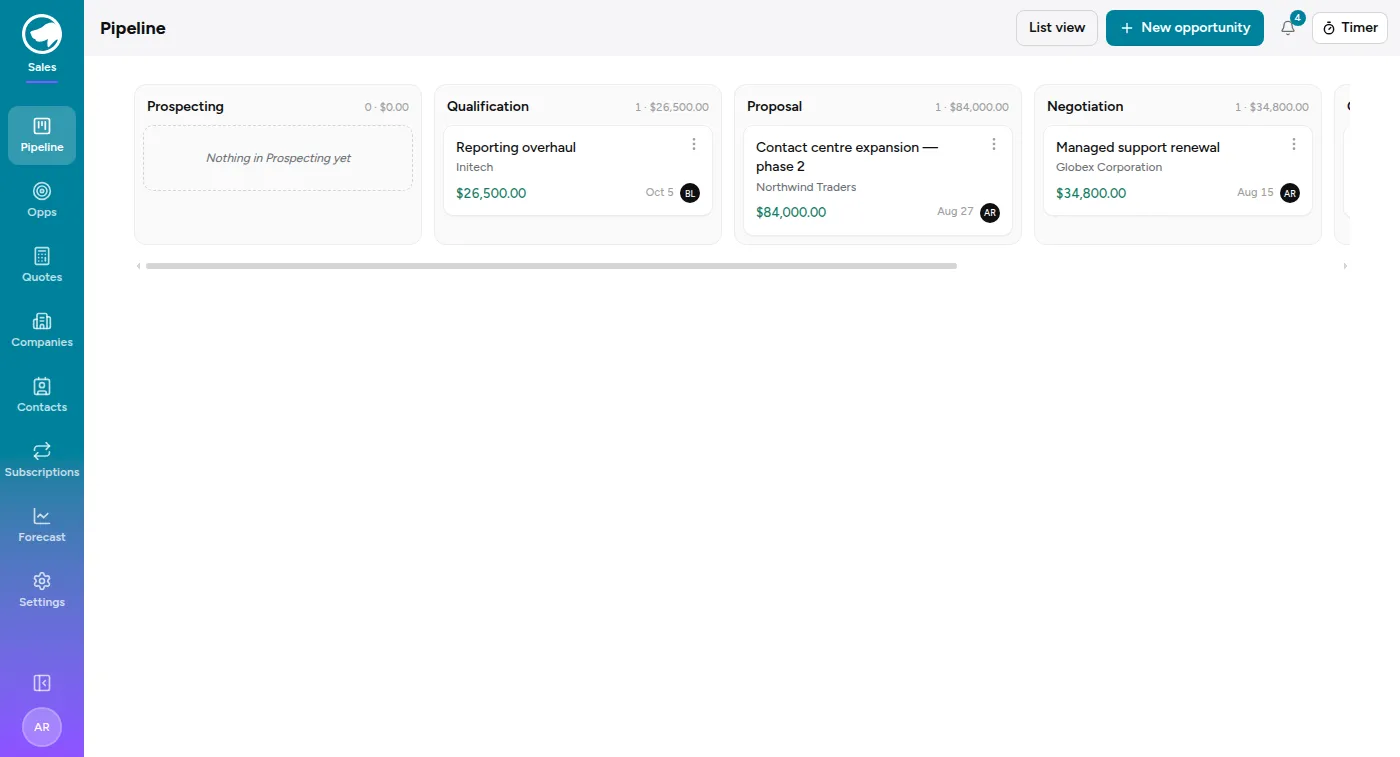
The board
Section titled “The board”Pipeline is the whole team’s, a column per stage, each headed with a count and a total. Cards show the deal, the company, the amount, the close date and who it’s assigned to. Drag a card to move it a stage. The same search and filters as the list sit above the columns, so you can narrow the board to one person’s deals, a partner’s, or a service type.
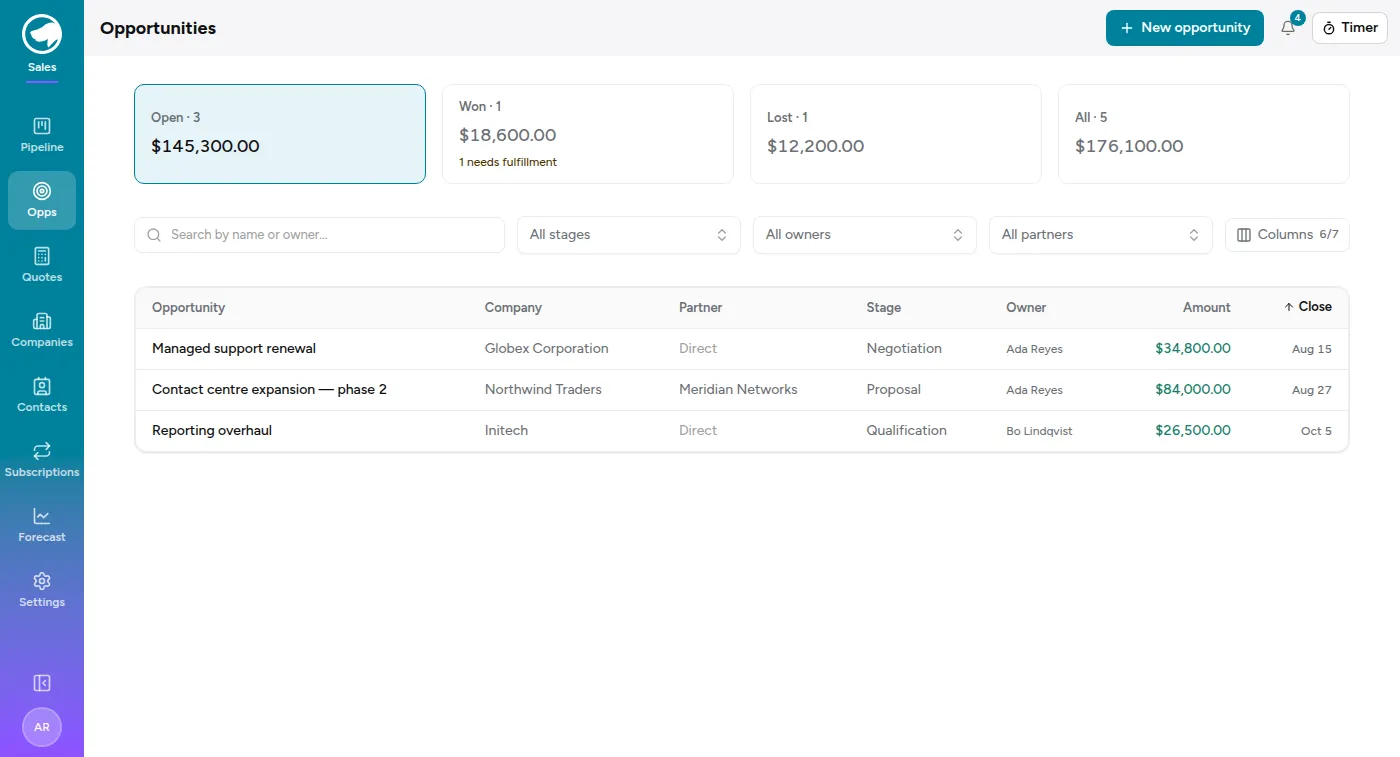
List view is the same deals as a table, with tabs across the top that are worth understanding because they’re totals, not just filters:
- Open — everything still live, and what it’s worth.
- Won — won, whether or not it’s closed. If any of those haven’t been handed over to delivery yet, this tab says so: “n needs fulfillment”.
- Active Won — won but not yet closed: deals still being delivered. They’re also counted under Won, but here they’re on their own, however long ago they were won.
- Lost — closed and lost.
- All.
Under the tabs is the search box, and under that a row of filters — stage, assignee, partner, service type and close date. My deals and the board use the same filters. Service type finds deals that include any of the types you pick, or No service type for deals with none. The close-date filter takes a span, either end optional, with shortcuts for Past due, this month, this quarter, next quarter and this year. Past due on the Open tab is the useful one: deals whose close date has been and gone and which nobody has moved.
A deal with no close date isn’t in any of those spans, so it won’t appear under one. And by default the closed tabs only reach back two years — a line under the filters says how many older deals that’s holding back, with a way to show them. Naming a close-date range switches that off: the range you asked for is the one you get, however far back it goes.
Stages
Section titled “Stages”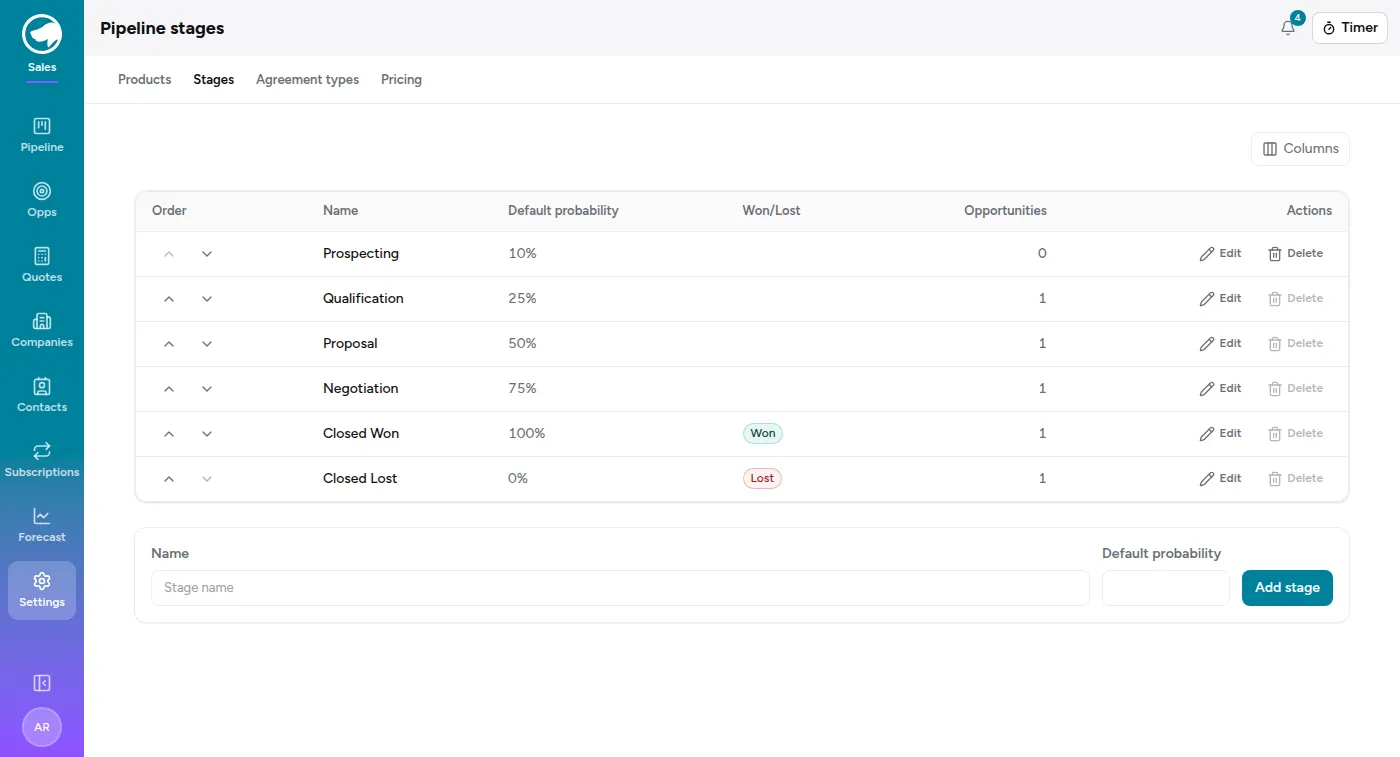
Settings → Stages defines the columns. Each stage has a position, a default probability, and — for the two at the end — a flag saying it means won or lost. Seeded as Prospecting → Qualification → Proposal → Negotiation → Closed Won / Closed Lost.
Moving a deal to a stage sets its probability from that stage’s default, which you can then override on the deal itself.
Service types
Section titled “Service types”Settings → Service types lists what a deal can include. Every workspace starts with Pro Svc, PM, MS, Dev and SaaS; rename them, add your own, or reorder them. Each type is a checkbox on the deal form, a badge on the deal, and a row in the pipeline report’s service-type breakdown. A deal can carry several.
A type can also say what to propose when a deal is won: a delivery project, billing milestones, a managed-service subscription or a SaaS subscription. Those sections start ticked on the deal’s fulfill screen. Out of the box, Pro Svc, PM and Dev propose a delivery project, PM also proposes milestones, and MS and SaaS propose their subscriptions. A type that proposes nothing is just a label.
If you sync from Salesforce, a type can name the Salesforce checkbox it comes
from (for example Pro_Svc__c). The nightly sync only sets those types on
Salesforce deals and leaves the rest as you set them.
To retire a type, archive it. It disappears from the form for new deals, but deals that already have it keep it, and it still shows in reports for periods that include them. You can only delete a type no deal has ever had.
An opportunity
Section titled “An opportunity”Each deal carries a company, an assignee, an amount, a close date, a lead source, a next step and a description. The next step field is the one that earns its keep in a pipeline review — it’s the difference between a list of deals and a list of things to do.
A deal can also name a contact — who at that company you’re actually dealing with. The picker only offers contacts of the deal’s own company, so changing the company clears it. It’s a column on the list too, hidden by default; turn it on from the column menu.
A deal can also carry a partner — the reseller who brought it, when it wasn’t a direct sale. That’s a column and a filter on the list, and it decides who the eventual invoice goes to. See Partner-led deals.
Deals can come from the Service Desk: Flag for sales on a ticket creates an opportunity from it and remembers which ticket it came from. See Working a ticket.
Activity and notes
Section titled “Activity and notes”The fields above say what a deal is. Activity, at the bottom of the deal, says how it’s going — and it’s the half you write yourself.
Type into the box and post. Notes are plain text and free-form: progress from a call, what’s blocking you, what you agreed to do next. There are no note categories to pick from, deliberately — the point is to write the thing down, not to file it.
Your notes don’t sit on their own. They’re interleaved with what actually changed on the deal — stage moves, amount and close-date edits, a new assignee, the win or the loss — so one panel reads as the story of the deal instead of two half-stories. The oldest entry is at the top and the newest sits next to the box, the way a conversation reads.
You can reword or delete a note you wrote; a reworded one is marked edited, so nobody has to wonder whether they’re reading the original. You can’t edit someone else’s — an admin can remove a note from the record, but nobody gets to put different words under your name.
Notes are a good place for the things next_step can’t hold, because
next_step only ever remembers its current value. “We slipped because their
budget moved to Q1” is a note; “Send the revised quote” is a next step.
Winning and losing
Section titled “Winning and losing”Lose asks for a reason, and the reason is the point — a lost-reason field nobody fills in makes the Lost tab useless six months later.
Win closes the deal, and then hands you the second half of the job.
Deleting a deal that shouldn’t exist
Section titled “Deleting a deal that shouldn’t exist”Lost and deleted are not the same thing. A lost deal was real and we didn’t win it — that belongs on the Lost tab, and it belongs in the win rate. A deal that was typed in twice, or raised against the wrong company, was never a deal at all, and marking it lost quietly makes every win-rate and pipeline-history number worse than it was.
Delete, on the opportunity’s own page, is for the second case. It’s for CRM admins only, and it’s permanent — there’s no archive and no undo, though the deletion is recorded in the audit log.
The confirmation names what goes and what stays, because the two aren’t the same:
- Deleted with it — the deal’s notes, its pipeline-review entries, its linked documents, and its links to projects.
- Kept — the quotes, subscriptions and config items it sold, and the projects themselves. Those outlive the deal that produced them; they just stop pointing at it.
Fulfilment
Section titled “Fulfilment”Fulfilment is where a won opportunity becomes:
- a project to book time against — an existing one, or a new one;
- milestones on that project, if the work is billed in stages;
- subscriptions, for the recurring part of what you sold;
- config items in the CMDB, for the kit you’re now responsible for.
If the deal was a renewal of an existing subscription, fulfilment extends that subscription’s end date rather than creating a second one.
Forecast
Section titled “Forecast”Forecast → Pipeline and Forecast → Quarterly are the analytics: weighted pipeline by stage and probability, and how the quarter is tracking. Both are admin-level views over the same opportunities.