The project workspace
Projects appear in three places in this app, and they’re the same projects each time. Time Tracking → Settings → Projects is where they’re configured; Time Tracking → Reports is where their numbers are analysed; and the Projects module is the workspace — one page per project that answers “how is this piece of work going”.
The list
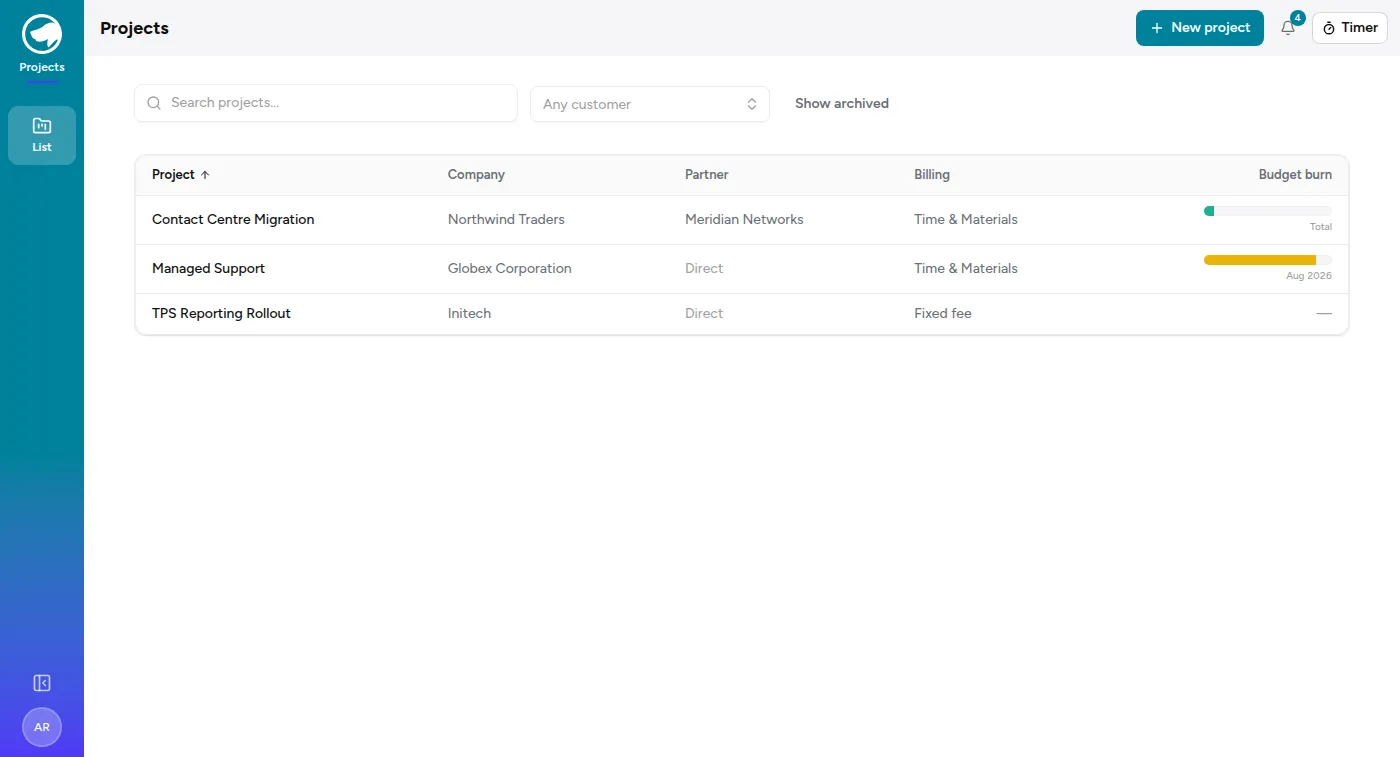
Section titled “The list”Projects in the rail shows every active project with its company, its contract type and its budget period. The contract type is one of Time & Materials, Fixed fee, Managed service, Non-billable or Internal, set under Settings → Projects. Projects that carried a tag in their name — “(FF)”, “(TM)”, “(MS)”, “(NB)” — were given that type automatically, and projects under an internal company became Internal; the rest are Unclassified until someone sets one.
The project page
Section titled “The project page”Overview carries the essentials: the company, the billing type, the description and the dates.
Time & budget shows hours and cost against their budgets. A project can have an hours budget, a cost budget, both or neither — a fixed-fee project with no hours budget is a deliberate shape, not a missing setting. Budgets warn; they never block. See Budgets and alerts.
Team is who’s assigned, and their role on this project. Assignment is what lets someone book time to it — a person who isn’t assigned (and isn’t an admin or project manager) can’t log against it at all, which is the most common cause of “the project isn’t in my dropdown”.
Opportunities shows the deals this project delivers. That link is made when a won opportunity is fulfilled onto a project — see The pipeline — so the workspace can answer “what did we sell them” without leaving the page.
Tickets shows the support work booked against this project, with each ticket’s state. For a managed-support project this is the bulk of the delivery, and having it next to the budget is the point: support tickets are what consume a retainer.
Documents links out to where the project’s information really lives — a Drive folder, a file you hold.
Notes are the project’s internal notes: decisions, risks, handovers, what a customer call settled. They’re for staff only, like a ticket’s internal notes, and never appear on the customer portal. Anyone on the project can add one, including on an archived project, where a close-out note belongs. Only the author can reword a note (it then shows as edited); the author or a project manager can delete it.
Setting a project up
Section titled “Setting a project up”Edit on the project page is where a new project gets the rest of its shape: its name and description, its start and end dates, its budget, and its team. Budgets and the roster answer to different permissions than the description does, so you may see any of them read-only — a Time Tracking manager sets the budget, a Projects admin manages the roster, and moving the project’s company or partner needs both. Rates, billable increments and invoice references stay in Time Tracking → Settings → Projects.
Milestones
Section titled “Milestones”A project can carry milestones with due dates and billing amounts, for work that’s invoiced in stages rather than monthly. Fulfilment can create them directly from a won deal.
Expenses
Section titled “Expenses”The Expenses tab on a project’s settings holds money the project spends that isn’t anyone’s time: subcontractors (Field Nation), travel, pass-through hardware and licenses. Each has a date, a category, a vendor, an amount, and whether it’s billable, meaning passed on to the customer. Billable expenses count against the project’s budget in the budget-vs-work reports; non-billable ones are shown separately. Project managers and admins can add them; everyone on the project can see them.
What “active” means
Section titled “What “active” means”Projects are archived rather than deleted. An archived project keeps all its time entries and history — it just stops appearing in pickers and lists. The same is true of companies and of people.